
Product Knowledge for Animation Laser Lights
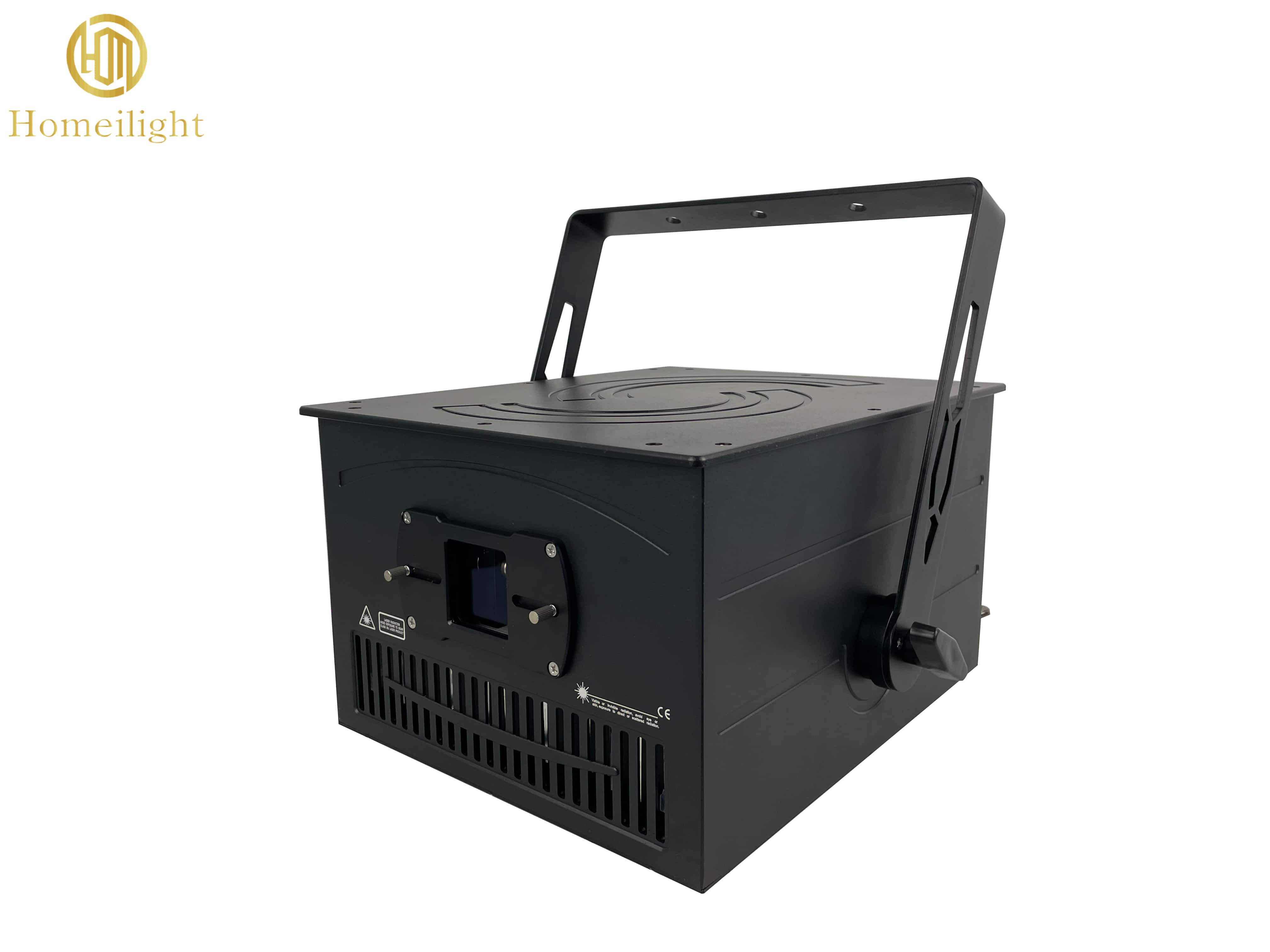
How Animation Laser Light Fixtures Create Images: Scanning and Diffraction Methods
The mainstream imaging method for animation laser light fixtures is the scanning type: initially, the laser light emitted by the source is just a point—a highly concentrated, narrow beam. What turns it into lines, text, and animations is the galvanometer scanning system.
The galvanometer scanner consists of two motors driving the X-axis and Y-axis, each with a tiny mirror fixed to its rotor. The computer converts vector graphic coordinates into control signals that drive the two mirrors to deflect at extremely high angular velocity. After reflection, the laser light beam moves rapidly along a preset path in space, as if “tracing points” in a planar coordinate system. More precisely, this is vector scanning: the beam is turned on along the path to be displayed and turned off by the modulation signal during blanking moves between points; only lines are drawn, not unused areas.
The key to seeing a complete graphic is persistence of vision. A galvanometer scanner typically completes one scan cycle of a complex pattern in only 5 to 20 ms, far beyond the limits of human visual recognition; the retina “stitches together” this series of high-speed discrete light points, and the brain receives a continuous, stable image. This is also why the scan speed of galvanometer scanners (pps) directly determines image quality: units below about 20Kpps can still project simple laser light beams, but when handling complex text or curves, they exhibit broken strokes, jitter, and flicker; 26K–30Kpps is a more comfortable range for professional animation laser light graphics and text shows.
In addition to scanning-type systems, diffraction-type systems serve as a supplement. Such devices pass laser light through a special optical element etched with fine patterns, using optical diffraction to generate patterns directly. They have a simple structure and low cost, but limited pattern variation and weak dynamic capability. They are usually used only in scenarios with low effect requirements, and their expressive capability is not on the same order as that of galvanometer scanning systems in animation laser light applications.
Practical Essentials for Animation Laser Lights
Animation laser lights are popular equipment for creating atmosphere in bars, performances, and cultural and tourism projects, with extremely strong expressiveness in dynamic patterns, text animations, and beam effects. However, the characteristics of laser lights are very different from ordinary LED stage lights, and many beginners are prone to pitfalls, especially regarding misunderstandings about the principles of laser imaging.
Core Point: Imaging must rely on a medium; the beam will not disappear without a medium.
Many users wonder: the equipment starts normally and the galvanometer is running, so why can't the laser animation be seen? The principle is the Tyndall effect: we can see laser patterns and beams in the air because of the scattering of light by suspended particles in the air.
Core Point: Imaging must rely on a medium; the beam will not disappear without a medium.
Many users wonder: the equipment starts normally and the galvanometer is running, so why can't the laser animation be seen? The principle is the Tyndall effect: we can see laser patterns and beams in the air because of the scattering of light by suspended particles in the air.
- With a medium (haze machine, water screen, gauze screen): The light is scattered by particles, presenting clear animation effects in the air, which is the laser image we want.
- Without a medium: The naked eye cannot see the light path, but the laser beam will not disappear. It will extend infinitely in a straight line until it hits a wall, an object, or even penetrates far outdoors.
- Important Myth Reminder: Fog machines/haze machines only make the laser visible; they do not block the laser beam. Do not assume that the laser does not exist if the fog is turned off. Risk: In a medium-free state, invisible laser beams sweeping across human eyes or flammable materials can cause permanent vision damage or even cause a fire.
- Medium Recommendation: Prioritize the use of a haze machine (Hazer); the haze is fine and even, the effect is long-lasting, and it is unlikely to trigger fire smoke detectors. Water screens or projection gauze screens can also be used as imaging carriers. Before debugging, turn on the haze equipment first to confirm that the beam landing points are controllable, and then play the animation program.
Installation and Hardware Precautions
-
Heat Dissipation and Ventilation: The laser source and galvanometer generate a large amount of heat during operation; the cooling vents must not be blocked. When hoisting, be sure to lock the bracket and install a safety rope for anti-drop protection.
-
Stable Power Supply: Use a separate power supply or avoid sharing the same circuit with high-power amplifiers. Unstable voltage will cause pattern jitter and damage to the laser.
-
Protect the Output Lens: Regularly clean dust off the lens. Cover it with a dust cap when not in use. Dust accumulation will reduce brightness, and the high-temperature spot will burn the lens.
On-site Safety Regulations
-
Laser radiation directly into human eyes is strictly prohibited. When debugging high-power models, operators should wear laser safety goggles of the corresponding level, and the light path should be kept above the heads of the audience as much as possible.
-
Plan the laser beam landing points in advance. Test the animation programs throughout the rehearsal. It is forbidden for the laser to shoot out of windows, towards pedestrians and vehicles on the road, or towards nearby fabrics, foam, and other flammable materials.
-
Confirm that the scan failure safety protection function is working properly. When the galvanometer jams, this function will automatically cut off the laser. It is forbidden to bypass safety protection without authorization.
-
Comply with local regulations. Outdoor high-power laser performances must be reported and approved in advance as required.
Debugging and Control Tips
DMX and ILDA signal cables must be kept away from high-voltage power lines to avoid signal interference causing pattern confusion; the haze volume should not be too large, as thick smoke will make the image look white and lose details; materials should be preloaded in advance to prevent the beam from staying at a fixed point due to computer lag.
Shutdown and Daily Maintenance
After the performance, turn off the laser output first, keep the fan running for heat dissipation for a few minutes, and then cut off the power after the laser has cooled down. Regularly clean the dust filter, and keep the storage environment dry and moisture-proof.

